Drone LiDAR Sensor: A Guide for Surveyors & GCs

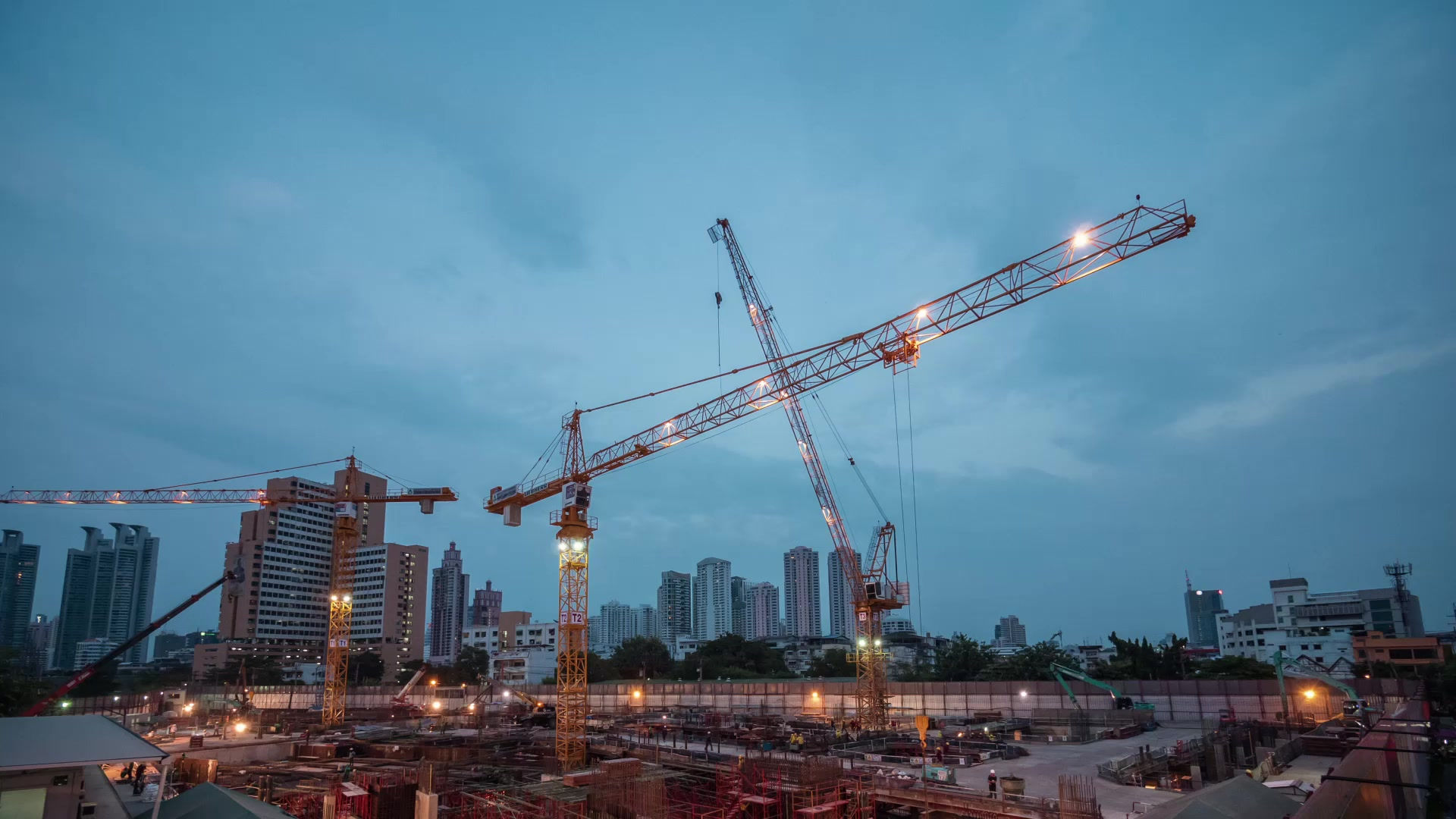
At first light on a large construction site, the problem usually isn’t a lack of activity. It’s a lack of reliable ground truth. By the time crews, equipment, and subcontractors are all moving, yesterday’s topo can already be out of date.
The Modern Construction Challenge Demands Better Data
On a major site, small information gaps turn into expensive field problems fast. An earthwork team cuts to one surface, utilities are working from another, and the superintendent is trying to reconcile both against a model that no longer matches conditions on the ground.
That’s common on large, fast-moving builds across Utah. It’s especially true on data center work, where pads, haul routes, trenching, staging, and structural progress can all shift in short order. A construction firm doesn’t just need data. It needs data that reflects current conditions, ties to real coordinates, and can be trusted by survey, VDC, and operations at the same time.
Traditional methods still matter, but they have limits on these jobs.
Walking the site takes time: Crews can collect excellent points on the ground, but coverage is selective and slower when acreage grows.
Active work zones create risk: Sending people repeatedly into haul roads, steep cuts, and equipment corridors adds exposure.
Spot measurements miss context: A few good shots won’t always reveal subtle drainage issues, edge sloughing, stockpile change, or grading drift across a broad area.
A drone lidar sensor closes that gap by measuring the site directly and at scale. Instead of relying on interpolation between sparse points, it creates a dense three-dimensional record of the job as it exists that day.
That shift is one reason the market has expanded so quickly. The global LiDAR drone market is projected to grow from USD 129.0 million in 2020 to USD 317.71 million by 2026, with North America holding the largest market share, driven by adoption in mapping, surveying, and infrastructure work according to Mordor Intelligence’s LiDAR drones market analysis.
On complex construction sites, the costliest mistake isn’t usually bad effort. It’s making decisions from incomplete site data.
For a project manager, that matters more than the hardware itself. Better capture means fewer assumptions, cleaner coordination, safer verification, and less rework.
How a Drone LiDAR Sensor Sees the World
A drone lidar sensor works like a very fast tape measure that never stops moving. As the aircraft flies, the sensor sends out laser pulses, waits for them to bounce off surfaces, and records how long the trip took.
That return time is the key. Since light travels at a known speed, the system can calculate distance from the sensor to the object it hit. Do that over and over across the site and you don’t get a single measurement. You get a three-dimensional map made of points.

From pulse to point cloud
The workflow is straightforward in concept.
The drone flies a planned path: Flight lines are designed to cover the target area with enough overlap and the right look angle.
The sensor emits laser pulses: These pulses strike soil, rock, concrete, vegetation, steel, and anything else in the scene.
Reflections return to the sensor: The receiver logs those returns.
The system calculates distance: Time-of-flight converts the return into range.
Position and orientation get applied: The software combines the laser measurements with the drone’s location and attitude.
A point cloud is built: Millions of measured points form a digital surface.
That point cloud is the primary product. Everything a project team cares about comes from it. Surface models. Bare-earth terrain. Volumes. Cross-sections. As-builts. Clearance checks.
Why this matters on a job site
A camera records appearance. LiDAR records geometry. That’s the practical difference.
If the question is, “What does the site look like?” photos are useful. If the question is, “Where exactly is the ground, the berm toe, the trench edge, or the stockpile crest?” direct measurement matters more.
This is also why LiDAR fits into broader connected-jobsite thinking. Construction firms already use sensors for equipment, utilities, facilities, and environmental monitoring. For teams thinking about site intelligence as one connected system, this overview of Internet of Everything (IoE) sensors is a useful companion because it puts LiDAR in the larger context of how physical assets get measured and managed.
What the sensor does well and what it doesn’t
A drone lidar sensor is strong when you need shape, elevation, and coverage. It’s not automatically the best choice for every visual deliverable.
Use LiDAR when you need:
Measured terrain: grading, drainage, stockpiles, corridor work
Canopy penetration: overgrown parcels, undeveloped land, utility routes
Linear feature capture: edges, poles, wires, facades, structural geometry
Low-light flexibility: situations where image quality would suffer
Don’t expect LiDAR alone to give you the same photorealistic appearance as dense aerial imagery. If the client wants a polished visual model for stakeholder presentations, teams often pair LiDAR with RGB capture.
Field reality: The best results come from treating LiDAR as a measurement tool first, not as a marketing visual.
Decoding Key Drone LiDAR Specifications
Spec sheets can mislead new buyers because they make every payload look impressive. In practice, only a few specifications consistently affect whether the data is usable for construction and surveying.
The main ones are accuracy, points per second, return capability, range, and how the full payload integrates with positioning hardware.
Accuracy and what it means
If a sensor claims tight accuracy, the important question is where that accuracy holds and under what workflow. On a construction project, the issue isn’t whether the laser is advanced. It’s whether the final dataset supports staking checks, grading verification, and design comparison.
Sensors based on the Hesai XT-32, common in enterprise payloads, can achieve ±1 cm accuracy with dual-return capability, emit 640,000 points per second in single-return mode or 1.28 million points per second in dual mode, and reach up to 300 meters according to Advexure’s review of drone LiDAR sensors.
That sounds like marketing language until you translate it into field consequences. Higher-quality direct ranging gives cleaner surfaces on slopes, sharper breaklines, and better confidence when you compare weekly conditions against design intent.
Pulse rate and point density
People often focus on pulse rate first because it’s easy to compare. More pulses per second usually means more opportunities to capture detail.
But pulse rate by itself doesn’t guarantee a good deliverable. Point density on the ground depends on several operational choices too, including flight altitude, speed, overlap, and scan geometry.
Consider this practically:
Higher pulse rate helps when you need denser sampling or faster collection.
Lower flight speed increases density because the sensor spends more time over each patch of ground.
Flying higher covers more area but can reduce effective detail where the project needs it most.
For a data center pad, excessive speed can leave you with enough points to say you surveyed the site, but not enough consistency to trust subtle grade movement around tie-ins and utility corridors.
Dual return and multi-echo capability
This is one of the most important specs for undeveloped land. A dual-return or multi-echo sensor can capture more than one reflection from a single outgoing pulse.
In simple terms, one pulse can hit vegetation first and ground second. That gives the processing team a chance to separate canopy from terrain instead of guessing.
That matters on projects where preconstruction surfaces are still covered by brush, tall grass, or tree canopy. It also matters along utility routes and drainage paths where hidden ground changes can affect design assumptions.
Range and payload fit
Range matters less than people think on many construction sites. Most project flights aren’t trying to push the sensor to its maximum stand-off distance. They’re trying to hold stable, repeatable collection geometry.
What matters more is whether the payload suits the aircraft and mission.
Ask these questions before you get impressed by numbers:
Specification | What it means in the field |
|---|---|
Accuracy | Determines whether the final map supports engineering decisions |
Points per second | Influences how much detail you can capture during each pass |
Return capability | Affects vegetation penetration and feature separation |
Range | Helps on tall assets and special inspection scenarios |
Payload weight | Impacts flight time, aircraft choice, and mission efficiency |
A strong drone lidar sensor isn’t just a laser head. It’s a working survey system. If the sensor is good but the aircraft is overloaded, the GNSS is weak, or the inertial unit is mediocre, the finished data won’t meet expectations.
Achieving Centimeter-Level Accuracy with RTK and PPK
A LiDAR sensor can collect a huge amount of geometry, but geometry without precise position is only part of the job. Construction teams don’t just need a nice point cloud. They need a point cloud that lands in the right place in the site coordinate system.
That’s where RTK, PPK, and a properly integrated GNSS/INS solution come in.

Why onboard GPS isn’t enough
Standard navigation GPS can keep a drone on a route. It won’t reliably produce survey-grade mapping on its own.
LiDAR needs to know three things at every moment:
Where the drone is
How the drone is oriented
Where the laser beam was pointed at the instant of measurement
If any of those are off, the point cloud shifts, tilts, or smears. On open ground, that may show up as soft edges or uneven surfaces. Around structures, retaining walls, or narrow corridors, it becomes obvious fast.
RTK and PPK in practical terms
RTK applies position corrections during the flight. PPK applies those corrections after the flight during processing.
Both are used to tighten geolocation. The choice often depends on job logistics, signal reliability, workflow preference, and how much redundancy the team wants.
On construction work, a disciplined crew usually plans for accuracy before takeoff:
Base or correction setup: The correction source must be reliable and tied correctly.
Mission geometry: Flight planning has to support the quality target.
Redundancy: The team needs enough data to verify alignment after the fact.
For a good technical overview from a field perspective, this Earth Mappers article on understanding RTK and drone-mounted RTK modules is worth reviewing.
Why dual-antenna GNSS matters
This is the part many non-survey teams overlook. Position alone isn’t the full story. A drone is moving, pitching, rolling, and yawing through the air. If heading isn’t controlled well, the point cloud can degrade even when the basic position looks acceptable.
Achieving centimeter-level accuracy requires strong GNSS/INS integration. Dual-antenna solutions, including systems using Trimble BD992 receivers, are critical for mitigating heading accuracy issues caused by drone motion and for enabling reliable mapping where single-antenna systems struggle, as described in Trimble’s customer story on ensuring UAV LiDAR survey accuracy.
That matters most in the places construction teams tend to underestimate:
Near vegetation: movement and partial obstruction complicate the solution
On remote sites: setup conditions aren’t always forgiving
In wind: aircraft attitude changes can expose weak heading performance
Around structures: dynamic motion can amplify alignment error
A clean dataset starts with sensor quality. A dependable dataset starts with georeferencing discipline.
What good integration changes on site
When RTK or PPK is paired with strong inertial performance and dual-antenna heading, a field crew can reduce dependence on extensive ground control. That saves labor, reduces time in active work zones, and shortens the loop between capture and decision-making.
For a project manager, the benefit is simple. You get information that can be used sooner and defended more confidently.
That’s the difference between “interesting drone data” and a dataset a surveyor, engineer, and superintendent can all use without argument.
LiDAR vs Photogrammetry A Practical Comparison
The wrong question is which technology is better in the abstract. The right question is which one matches the site conditions and the decision you need to make.
On a cleared pad with open sky, good light, and a need for visual context, photogrammetry can be the right tool. On an overgrown parcel, a utility corridor, or anywhere the actual ground sits below vegetation, a drone lidar sensor usually offers a significant advantage.

Where LiDAR clearly wins
LiDAR’s biggest practical advantage in land development is vegetation penetration. Sensors with up to 15 echoes and small beam divergence can work through dense canopy to produce bare-earth models with less than 3 cm vertical accuracy, and slower flight speeds improve ground point density in overgrown sites according to DJI Enterprise’s guide on LiDAR basics.
That’s not a small difference. It changes whether a preconstruction survey reflects the actual terrain or just the top of brush and tree cover.
LiDAR also tends to be the better call when the project requires:
Bare-earth topography before clearing
Powerline or utility corridor modeling
Complex slopes where direct measurement matters
Low-light operations where imagery quality would drop
Where photogrammetry still makes sense
Photogrammetry remains useful, especially once a site is open and the team wants a photorealistic visual record. It’s also the easier concept for some stakeholders to understand because the output looks like the actual site.
For firms evaluating lower-cost visual capture for non-survey uses, even something like a 4K Professional HD Dual Camera Drone for Aerial Photography helps illustrate what camera-first systems are designed to do well. They’re built around imagery. LiDAR systems are built around measurement.
The jobsite decision framework
Use LiDAR when the question is about exact terrain, hidden ground, or geometry under difficult conditions.
Use photogrammetry when the question is about visual communication on a relatively open site.
For teams that want a construction-focused backgrounder on the camera-based side, Earth Mappers also has a practical overview of what aerial photogrammetry is for construction and surveying.
Here’s the quick comparison that matters in preconstruction and active site work.
Criterion | Drone LiDAR | Aerial Photogrammetry |
|---|---|---|
Measurement method | Direct laser ranging | 3D model inferred from overlapping photos |
Vegetation performance | Strong for bare-earth extraction in vegetated areas | Weak where canopy hides the ground |
Lighting dependence | Less dependent on ambient light | Depends heavily on image quality and lighting |
Visual realism | Limited unless paired with RGB data | Strong photorealistic output |
Linear feature capture | Better for fine geometry and complex surfaces | Can struggle when image matching is weak |
Best fit | Survey-grade terrain, utilities, undeveloped land, as-builts | Cleared sites, visuals, stakeholder communication |
A short video can help if your team is deciding between methods and wants to see the output differences in context.
If the site is covered in vegetation and you need the actual ground, don’t try to force a camera workflow to solve a LiDAR problem.
What project managers usually get wrong
Many project teams assume photogrammetry is “close enough” because it looks better on screen. That’s understandable, but it can be costly.
On open, finished, or mostly graded areas, it often is enough. On raw land, undeveloped expansion zones, or corridor work, it can hide the exact thing the survey is supposed to reveal.
That’s why the choice should be driven by the deliverable, not by which model looks prettier in a meeting.
From Point Cloud to Project Decisions A Workflow Example
The flight is only the start. The value of a drone lidar sensor shows up after processing, when raw returns are turned into surfaces, classifications, and deliverables a project team can act on.
On large construction programs, that workflow has to be repeatable. It also has to be defensible. If the numbers don’t hold up when the surveyor, superintendent, and owner’s rep review them, the dataset doesn’t help much.

Step one is clean capture
A useful workflow starts in the field with disciplined acquisition. The crew plans flight lines for the required density, checks positioning, confirms airspace and site constraints, and flies for the actual deliverable rather than for generic coverage.
That distinction matters. A broad progress map and a high-confidence grading verification flight may cover the same area, but they aren’t flown with the same priorities.
Step two is building the initial point cloud
Once the raw LiDAR, GNSS, and inertial data are brought together, software generates the first georeferenced point cloud. At this stage, the dataset contains everything the sensor saw, including noise and irrelevant returns.
That means the early cloud may still include:
Dust or airborne artifacts
Temporary moving objects
Equipment captured during active work
Scattered edge noise around structures or vegetation
Here, experience starts to matter more than hardware. Processing isn’t just clicking “classify.” It’s understanding what the site is, what the deliverable needs to support, and what should or shouldn’t remain in the model.
Step three is classification
After cleanup, the processor separates points into useful classes. Typical classes include ground, vegetation, buildings, structures, and other above-ground features.
For construction, the ground class does most of the heavy lifting. It drives terrain models, contours, sections, drainage review, and many earthwork calculations.
If your team is new to LiDAR outputs, this background on what point cloud data is helps explain why classification matters so much downstream.
The point cloud is not the final answer. It’s the raw measurement record that makes the final answers possible.
A practical workflow on a data center project
That process is highly relevant on current Earth Mappers contracts with Mortenson Construction building out Met’s data center in Eagle Mountain, Utah.
On a project like that, the site isn’t static. Earthwork advances. Access changes. Utility work opens and closes areas. Structural progress creates new surfaces and new obstructions. Weekly or recurring capture only helps if the processing workflow converts that reality into decision-ready outputs.
In a practical construction sequence, the workflow looks like this:
Capture current conditions across the active work area The goal is to preserve a measurable snapshot of the site with enough density and control for engineering use.
Clean and align the dataset Returns from moving machines, irrelevant noise, and edge artifacts are filtered so they don’t contaminate surfaces.
Classify the cloud Ground is separated from temporary objects, vegetation, and built elements.
Generate deliverables tied to project needs Different stakeholders need different outputs. Survey may want a terrain surface. Operations may want haul-road conditions. PMs may want a progress comparison.
What the project team uses
For a large construction client, the most useful deliverables are rarely the flashy ones. They are the ones that support a decision before the next work shift, meeting, or pay application.
Common outputs include:
Deliverable | Why the team uses it |
|---|---|
Topographic surface | Confirms existing conditions for planning and coordination |
Volume calculation | Tracks cut, fill, stockpiles, and material movement |
As-built model | Compares constructed work against design intent |
Cross-sections | Checks grades, trench geometry, and slope conformance |
Progress snapshots | Gives PMs and superintendents a current site record |
On a data center build, that can affect concrete planning, utility coordination, grading verification, and site logistics. It can also reduce unnecessary foot traffic through active zones because more review happens from dependable remote data.
What works and what doesn’t
What works is a workflow built around the construction question.
If the project needs monthly earthwork reconciliation, the capture and processing need to support volume confidence. If the issue is as-built utility corridor geometry, the workflow has to protect alignment and feature clarity. If the superintendent needs a broad visual update, the LiDAR deliverable may be paired with imagery rather than forced to do everything alone.
What doesn’t work is collecting a lot of data without a defined downstream use. Bigger point clouds aren’t automatically better. Better point clouds are the ones processed to answer the exact project question.
That’s the operational lesson many teams learn late. The drone flight is easy to admire. The classification, QA, and interpretation are what turn a scan into project control.
Selecting and Operating Your Drone LiDAR Solution
Buying or hiring around a drone lidar sensor is easier if you stop thinking about it as a gadget package. It’s an integrated measurement system. The right choice depends on your site conditions, staff capability, and the decisions the data must support.
What to evaluate before you choose
Start with the deliverable, not the aircraft.
If your work is mostly construction progress on cleared sites, you may not need a heavy LiDAR workflow every week. If your work includes vegetated topo, utility corridors, stockpile reconciliation, and as-builts around active infrastructure, the sensor package and georeferencing stack matter a lot more.
Use this checklist when comparing options:
Define the target output: Bare-earth terrain, volume calculations, corridor mapping, inspections, and as-builts don’t all require the same setup.
Review the full payload: Sensor, IMU, and GNSS should be evaluated as one system.
Match aircraft to payload: A technically good scanner on the wrong drone creates weak endurance and inconsistent mission performance.
Check software fit: Processing, classification, QA, and export workflows need to align with your CAD, BIM, GIS, or survey environment.
Assess field support: Training, SOPs, and troubleshooting matter more than glossy brochures.
The trade-offs that matter in operations
No system wins every category.
A lighter payload may be easier to fly and more efficient on smaller sites, but a higher-end system may produce stronger results where geometry, vegetation penetration, or heading reliability are critical. A wider field of view can improve coverage efficiency, but if your application needs denser, more uniform data, narrower operational choices may still be better.
The same goes for mission setup. Fast flights look productive on paper. Slow, controlled flights usually produce more dependable data where detail matters.
Practical rule: Buy for the hardest site condition you need to solve regularly, not for the easiest one you happen to demo.
Field practices that prevent bad datasets
Most disappointing LiDAR results come from poor planning, not from a failed sensor.
A solid operating routine includes:
Preflight control checks: Confirm correction source, sensor status, storage, batteries, and calibration state.
Mission planning discipline: Set altitude, speed, overlap, and flight orientation for the terrain and deliverable.
Environmental judgment: Rain, fog, and poor visibility can degrade collection. Wind can also amplify aircraft motion and downstream alignment issues.
Airspace and site coordination: Construction sites change daily. Flight windows, crane activity, exclusion areas, and crew communication all matter.
Postflight verification: Don’t assume success because the drone flew the route. Review coverage and basic data health before leaving the site.
In-house program or specialist provider
For some firms, building an internal program makes sense. For others, it’s smarter to bring in a specialist when the job requires survey-grade LiDAR.
The dividing line is usually operational maturity. If your team can manage flight operations, control workflows, processing QA, and deliverable validation consistently, in-house deployment may work. If not, the hardware can sit idle or produce data nobody fully trusts.
That’s why experienced construction teams often separate two decisions. One is whether LiDAR is useful to the project. The other is who should be responsible for collecting and processing it.
Those aren’t always the same answer.
The Future of Site Intelligence is Here
A drone lidar sensor isn’t experimental anymore. On the right projects, it’s one of the most practical ways to get current, measurable site conditions without slowing the work or putting more people in harm’s way.
That matters because construction risk usually grows in the gap between design assumptions and field reality. LiDAR shrinks that gap. It gives teams a direct measurement of terrain, structures, and changing conditions that can support planning, verification, and coordination.
The firms that get the most from it are the ones that treat it as an operational tool. They don’t fly just to create a nice model. They fly to answer specific questions. Is the site ready for the next phase? Do grades match intent? Has material moved where the plan says it should? Are crews building against verified conditions?
When the workflow is done right, the gains show up where project managers care most.
Safer field verification
Faster access to current conditions
Stronger confidence in grading and as-built data
Better coordination across survey, engineering, and construction teams
Hardware matters. Processing matters just as much. Operational discipline matters most.
For contractors, survey firms, and engineers working on large sites, the question isn’t whether aerial measurement belongs in the workflow. It’s whether the data is good enough to make real decisions from. When it is, teams move faster and argue less.
If your team needs dependable aerial mapping, LiDAR, photogrammetry, or inspection support on active construction and land development projects, Earth Mappers provides survey-conscious drone data built for real project decisions. They work with contractors, engineers, and developers who need accurate deliverables, fast turnarounds, and field-proven workflows across Utah and beyond.

Comments